TSA PreCheck Touchless ID (2026): How It Works, Airports and How to Opt In
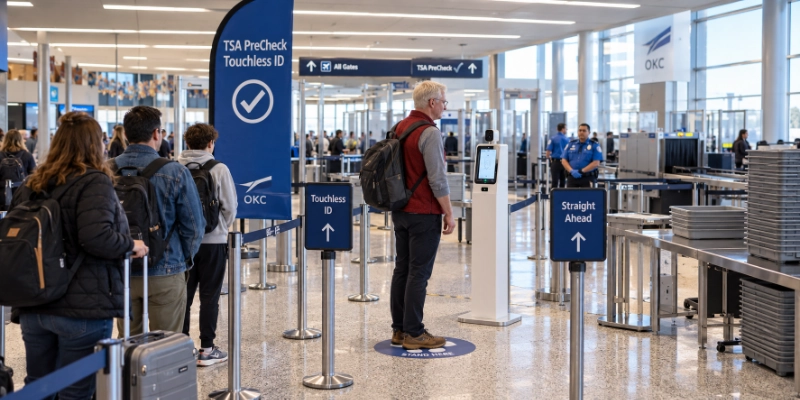
TSA PreCheck Touchless ID lets you verify your identity at security by looking into a camera instead of showing a physical ID. It is an opt-in benefit for TSA PreCheck members, it works at 65 airports, and you set it up through an airline account or Google Wallet. You still need to carry your ID.
🧭 What Touchless ID changes at security
Touchless ID replaces one step: the identity check. Everything else about the PreCheck lane stays the same.
| Regular PreCheck lane | Touchless ID lane | |
|---|---|---|
| 🪪 Identity check | You show your ID and boarding pass | You look into a camera; the photo is matched to your passport |
| 📝 Set-up | None beyond PreCheck | Opt in once through an airline or Google Wallet |
| 📍 Where | Any PreCheck lane | Dedicated lanes at 65 airports |
| 🛡️ Backup | Your ID | A physical ID, if asked or if the match fails |
🪪 Do you still need to bring ID?
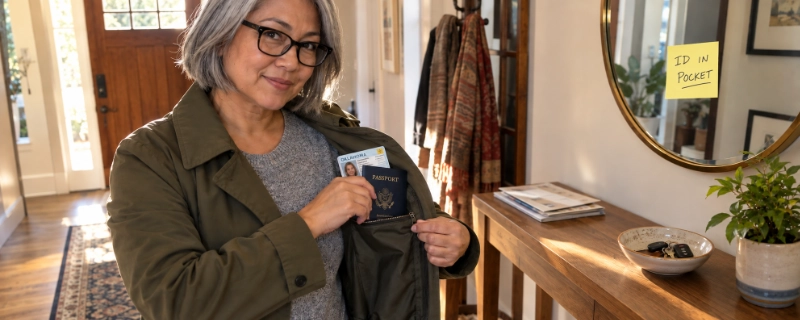
Yes. TSA says to bring a physical ID as a backup and to show it if an officer asks or if the face match fails. Southwest’s page repeats it: bring your physical ID. Opting in does not replace a REAL ID or a passport, so check ours first: can you fly without a REAL ID.
Who can use it
🔧 How to opt in
There are two routes. Pick the one that matches where you keep your boarding passes.
With an airline
- Log in to your rewards account on the airline’s app or website.
- Open the TSA PreCheck section.
- Scan your passport.
- Enter your Known Traveler Number.
- Opt in, then check the pill on boarding passes for trips booked afterward.
With Google Wallet
- Create a Google ID pass backed by your U.S. passport.
- Check in for your flight and save the boarding pass to Google Wallet.
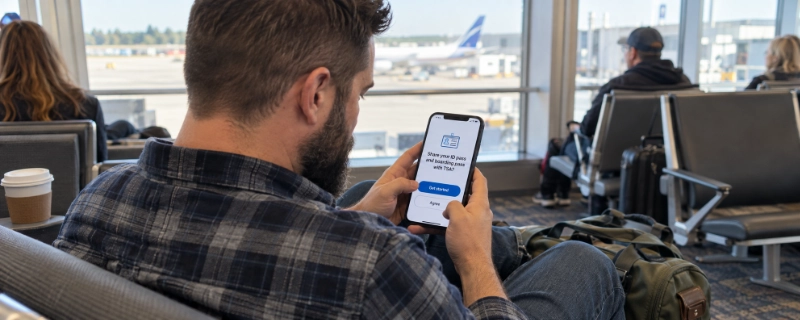
- Tap “Get started” on the boarding pass.
- Agree to share the ID pass and boarding pass with TSA.
- Look for the Touchless ID indicator on the boarding pass.
Google launched the Wallet route on 24 June 2026 and said it would roll out over the following weeks. With it, TSA says Touchless ID works with 100+ TSA PreCheck airlines at participating airports. Delta adds that a change can take up to 10 minutes to appear on your profile, and you check in with its app to get the badge.
Look for this pill on your mobile boarding pass. It appears after you opt in, and only at airports where Touchless ID is live. (Illustration, not the official artwork.)
🚶 At the airport
- 1Show the pill on your mobile boarding pass at the checkpoint.
- 2Go to the dedicated Touchless ID lane, marked with Touchless ID signs.
- 3Look into the camera. Your live photo is matched against your stored passport.
- 4If you are matched, you continue. Keep your physical ID in your pocket in case an officer asks for it.
Southwest says you must use a mobile boarding pass to use the Touchless ID lane. TSA’s own materials describe the check as 10 seconds or less.
📍 Which airports
TSA says Touchless ID is available at 65 airports. TSA’s map labels the airports below. The rest sit in the map’s East Coast inset, which TSA does not spell out in text, and one of them, Miami, TSA announced separately in February 2026. Your airline’s page shows its own list, so check it before you fly.
Hover or tap a code to see the airport name.
🔒 Photos, privacy and saying no
❓ Quick answers
What is TSA PreCheck Touchless ID?
An opt-in benefit for TSA PreCheck members that verifies your identity with a camera and your stored passport photo, instead of showing a physical ID at the checkpoint.
Is TSA PreCheck Touchless ID free?
TSA describes it as a benefit for PreCheck members and its page lists no separate fee. You still need a PreCheck membership.
Which airports have TSA PreCheck Touchless ID?
TSA says 65. Its map labels the airports listed above, and your airline’s page shows its own list.
Which airlines offer it?
American, Alaska, Delta, Hawaiian, Southwest and United through their own accounts, plus 100+ TSA PreCheck airlines through Google Wallet at participating airports.
Do I still need my ID with Touchless ID?
Yes. TSA says to bring a physical ID as a backup, in case an officer asks or the face match fails.
Do I need a passport to use it?
Yes. You opt in with a valid passport, and the live photo is matched against it.
How long does TSA keep my photo?
TSA says your photo and personal data are deleted within 24 hours of your scheduled departure.
Can I say no to the camera?
Yes. TSA says the photo is optional and an officer can check your ID instead, with no penalty.
Checked October 2026 on TSA, airline and Google pages. Airports and airlines keep being added, so confirm yours on the TSA page and your airline’s page before you fly.